Printable coloring pages are wonderfully convenient: you can try a design tonight, print a favorite twice, and test a new palette without worrying about a book. But the paper you print on changes the whole experience. The same page can feel scratchy and thin on cheap copy paper, or smooth and satisfying on something a little heavier.
The best paper for printing coloring pages is, for most people, a 24 to 32 lb premium paper for colored pencils and a smooth 65 lb or heavier cardstock for markers. This guide explains why, then lists the printer settings that give crisp, dark lines.
In short
- Colored pencils: 24 to 32 lb premium paper (90 to 120 gsm) or light cardstock.
- Markers: smooth cardstock, 65 lb cover (about 175 gsm) or heavier, one side only.
- Print at 100% or “actual size”, high quality, black only.
- Put a scrap sheet under every marker page.
- Test one sheet before printing a stack.
Paper weight in lb and gsm
In the US, paper weight is shown in pounds (lb); elsewhere in grams per square meter (gsm). The numbers confuse because “text” paper and “cover” paper (cardstock) use different scales: 65 lb cover is much thicker than 32 lb bond.
| Paper | Weight (lb / gsm) | Best for |
|---|---|---|
| Everyday copy paper | 20 lb / 75 gsm | Quick tests, light pencil |
| Premium copy paper | 24-32 lb / 90-120 gsm | Colored pencils, gel pens |
| Light cardstock | 65 lb cover / 175 gsm | Layered pencils, markers |
| Heavy cardstock | 80-110 lb cover / 215-300 gsm | Markers, framing |
Can I print coloring pages on cardstock?
Yes, and it is often the best choice. Many home printers handle 65 lb cardstock, especially through a rear or manual feed slot that keeps the sheet flatter. Check your printer’s manual for the heaviest paper it accepts before buying a pack, and feed heavy sheets one or a few at a time.
Texture: smooth or toothy?
Weight is only half the story. Paper texture, often called “tooth”, decides how pencils behave.
- Smooth paper gives clean, even marker coverage and a polished look with gel pens. Colored pencils glide easily but cannot build as many layers.
- Slightly textured paper grabs more pigment, so you can layer and blend more. Our guide to blending colored pencils shows how to make the most of it.
Most premium copy papers and matte cardstocks sit in a comfortable middle ground that works for everything.
Matching paper to your coloring tools
Colored pencils. Premium 24 to 32 lb paper or light cardstock holds several layers without pilling. Standard 20 lb paper is fine for practice but wears out under heavy blending or shading.
Alcohol markers. They soak through almost any paper. Use smooth cardstock of 65 lb or more and slip a scrap sheet underneath. Our guide to coloring books for markers covers bleed-through and ghosting in detail.
Water-based markers and brush pens. They bleed less but can wrinkle thin paper. Cardstock keeps the page flat.
Gel pens and fine liners. Smooth paper is best, so the ink sits on top and dries crisply. See coloring with gel pens for more.
Watercolor pencils. Adding water needs watercolor or mixed-media paper; copy paper and cardstock buckle. Check that your printer can feed it.
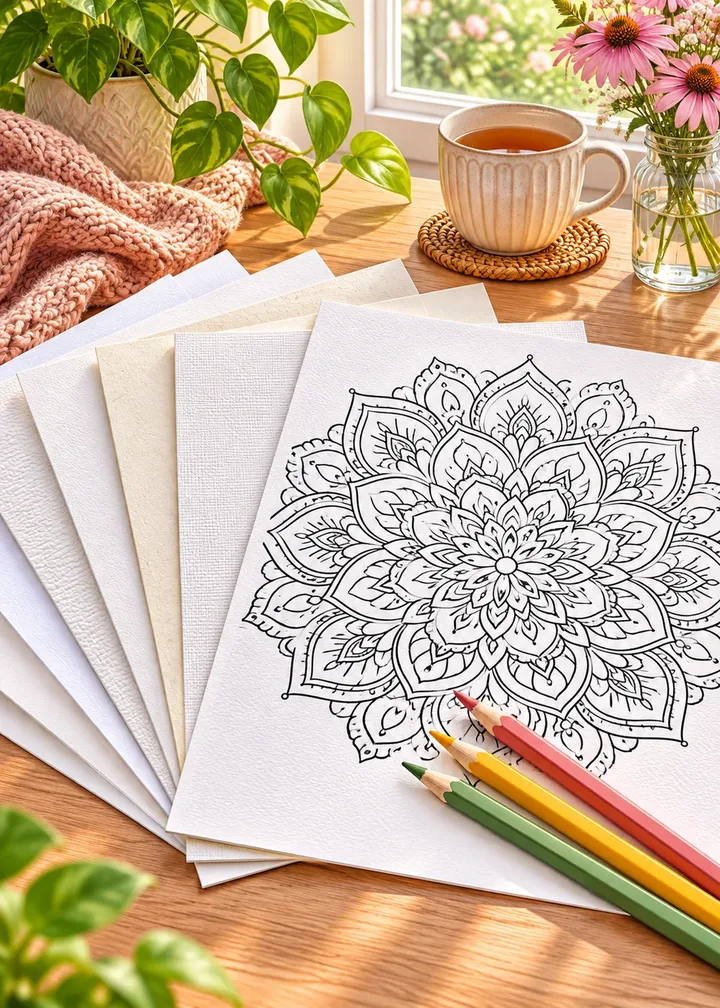
Make a paper test sheet
Print one design on each paper you own, then color the same small corner with each tool. Write the paper name on the back. One evening of tests saves a whole pack of wasted cardstock.
Printer settings for crisp lines
Coloring pages are line art, so you want lines that are dark, sharp and evenly black.
Five settings to check
- Choose the paper type. Pick “cardstock”, “matte” or “heavy paper” in the print dialog so the printer adjusts ink and feed speed.
- Print at 100% or “actual size”. Our free pages are made for US Letter (8.5 × 11 in) and fill the sheet at actual size.
- Select high quality. Draft or eco mode often prints gray, broken lines.
- Print in grayscale or black only. Lines stay pure black and you save color ink.
- Let the page dry. Give inkjet prints a minute before coloring so lines do not smudge.
How to print a PDF coloring book at home
Many printable books arrive as one PDF. Open it in a PDF reader rather than the browser preview, which sometimes changes the scale. Choose “actual size” rather than “fit”, and check that margins are not cut: if the edge of a design is missing, try “shrink oversized pages” for that page only.
Print a single page first, then the rest. To keep pages single-sided, turn off double-sided (duplex) printing; many printers default to it.
Making light or gray lines print darker
If lines come out pale, the file may use thin gray lines, or the printer is in a saving mode. Switch off eco or draft mode, choose a higher quality, and select “black ink only” or “grayscale”. Some print dialogs offer a darkness or contrast slider: one or two steps darker is usually enough. Printing on brighter white paper also makes lines look crisper.
Inkjet or laser?
Both work. Inkjet printers handle heavier and textured papers well and give very dark blacks, but the ink can smear under markers if the page has not dried. Laser printers produce crisp lines that stay put under water-based markers, though alcohol markers can occasionally soften toner, and some lasers struggle with very heavy cardstock. Test one page before printing a batch.
Single-sided, always
Print one design per sheet with nothing on the back. Even with pencils, pressure and erasing can show through, and with markers a double-sided sheet ruins one of the two pictures. It is the same reason good coloring books leave the back of each design blank, and why our books do too.
Recycled, cream or colored paper?
Recycled paper works well for pencils if it is not too thin; it often has a pleasant soft tooth. Cream paper gives a warm, vintage feel but changes every color and removes pure white highlights. For first prints, bright white paper keeps colors true. Parents choosing between printables and books for kids will find more in our guide to choosing a coloring book for kids.
How many sheets do you need?
Paper usually comes in packs of a few hundred sheets for copy paper and smaller packs for cardstock. A practical approach is to keep a pack of premium paper for pencil pages and a smaller pack of cardstock for marker days. Store blanks flat, away from humidity, so they feed well. Browse the free coloring pages to build a small stack ready for the week.
Storing and displaying your pages
- Keep finished pages flat in a folder or a binder with sheet protectors.
- An 8.5 × 11 in frame fits US Letter prints; a mat makes a simple page look gallery-ready.
Frequently asked questions
What is the best paper weight for printing coloring pages?
For colored pencils, 24 to 32 lb premium paper (90 to 120 gsm) is a comfortable choice. For markers, use smooth cardstock of 65 lb cover (about 175 gsm) or heavier.
Can I print coloring pages on cardstock?
Yes. Most home printers accept 65 lb cardstock, often through a rear or manual feed slot. Check your printer’s manual for its maximum paper weight first.
Why do my printed coloring pages look gray?
Usually the printer is in draft or eco mode. Choose high quality and black ink only, and try a slightly darker setting if your print dialog has one.
Should I print at actual size or fit to page?
Choose actual size (100%) for pages made for US Letter. Use fit or shrink only if part of the design is cut off.
Is regular printer paper good enough for coloring?
It works well for practice and light pencil work. For heavy layering or markers, a thicker paper holds up much better.
Once your paper and settings are right, every printable page feels like a small treat. If you are just starting, our beginner’s guide to adult coloring has tips for your first evening.